목표: 한국어 위키백과 내에서 최근 바뀜을 가져와 웹을 크롤링 해보기
왜 한국어 위키백과? - 실시간으로 내용을 바꿔서 다른 데이터를 적용 시켜줄 수 있기 떄문에, 웹 구조를 이해해 틀을 갖추는 크롤링을 해보고 싶었음. 교재에서 나무위키를 대상으로 크롤링을 했었는데.. 영리적인 목적에 어둠의 이유도 있어서... 구조가 바뀌어서 크롤링 자체가 어려워지게 바뀜, 그 반면 위키백과는 <div> 태그가 복잡하긴 하더라도, 어느정도 구조화된 코드 구조가 있어서, 크롤링이 가능했다.
분석 내용
1. 특수:최근 바뀜을 통해 실시간으로 편집된 문서 리스트를 가져옴
2. 최근 편집된 문서에 가서 가져옴
사용한 Libary:
- Pandas
- selenium/webdriver
- bs4/BeautifulSoup
사이트 구조를 가져오는 과정
한국어 위키백과 최근 바뀜 페이지

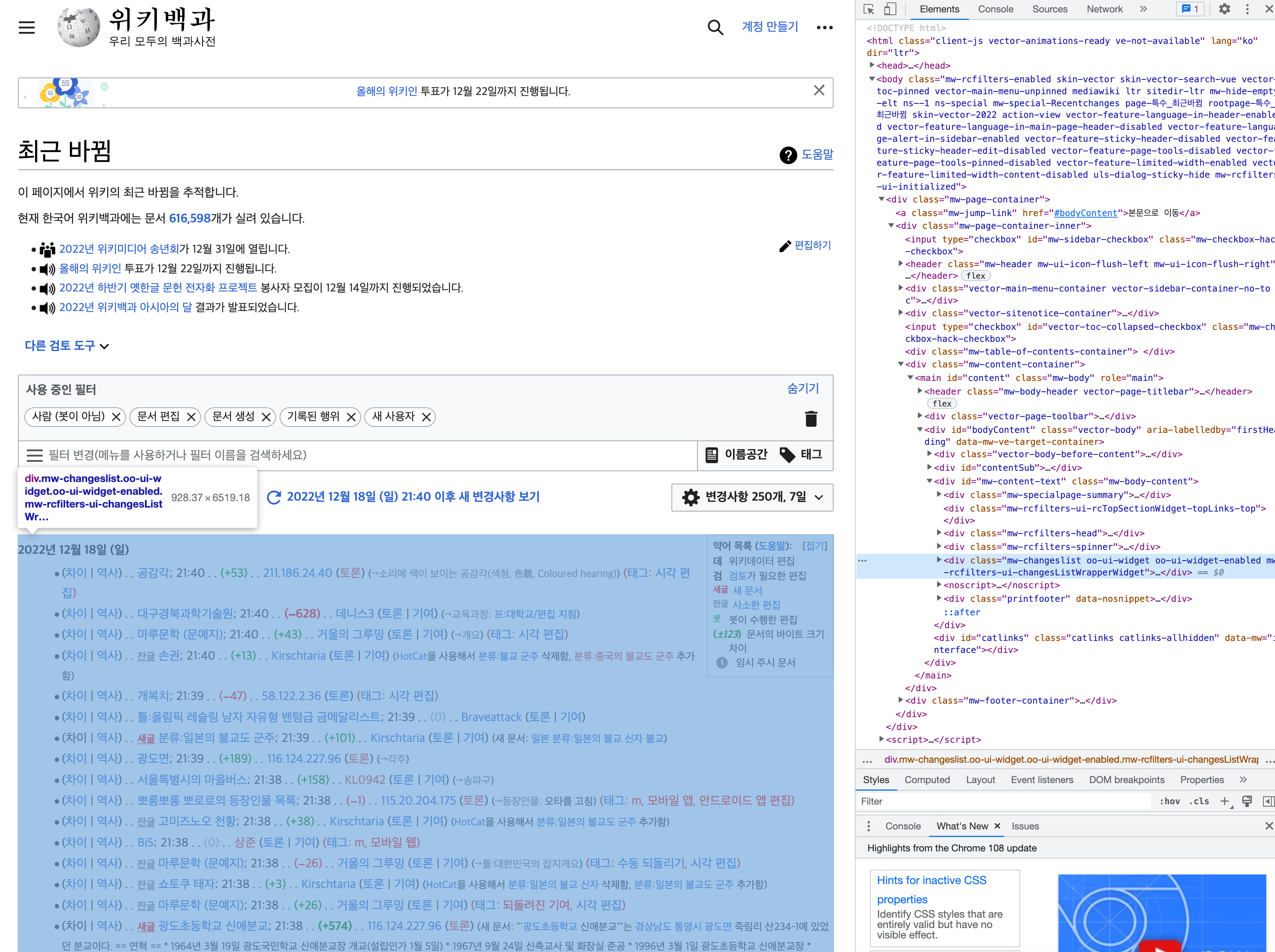
개발자 옵션을 통해 사이트 내의 리스트나, 글이 어떤 html tag 구조를 가지고 있는지 파악을 해야, 글 제목등을 추출할 수 있다.
위키백과는 table이 아닌 ul/li 식의 리스트 형식으로 최근 바뀐 문서를 나타내고 있었고, mw-title 태그를 통해 테이블 각 row를 확인할 수 있었다.
# brew 로 설치된 chromedriver의 path (Mac)
path = "/usr/local/bin/chromedriver"

# 윈도우용 크롬 웹드라이버 실행 경로 (Windows)
excutable_path = "chromedriver.exe"

# 크롤링할 사이트 주소를 정의합니다.
source_url = "https://ko.wikipedia.org/wiki/%ED%8A%B9%EC%88%98:%EC%B5%9C%EA%B7%BC%EB%B0%94%EB%80%9C"

# 크롬 드라이버를 사용합니다 (맥은 첫 줄, 윈도우는 두번째 줄 실행)
driver = webdriver.Chrome(path)
#driver = webdriver.Chrome(executable_path=excutable_path)

# 드라이버가 브라우징 할 페이지 소스를 입력
driver.get(source_url)
req = driver.page_source

# 사이트의 html 구조에 기반하여 데이터를 파싱합니다.
soup=BeautifulSoup(req, "html.parser")
#contents_table = soup.find("ul", "special")
table_body = soup.find("ul", "special")
table_rows = table_body.find_all("span", "mw-title")

# a태그의 href 속성을 리스트로 추출하여, 크롤링 할 페이지 리스트를 생성합니다.
page_url_base = "https://ko.wikipedia.org/"
page_urls = []

for index in range(0, len(table_rows)):
    td_url = table_rows[index].find_all("a")
    if len(td_url) > 0:
        page_url = page_url_base + td_url[0].get("href")
        if "png" not in page_url:
            page_urls.append(page_url)

# 중복 url을 제거합니다.
page_urls = list(set(page_urls))

# 크롤링에 사용한 브라우저를 종료합니다.
driver.close()
이 코드를 이용하면, page_urls이 최근 변경된 문서를 확인할 수 있게 해준다.
각 문서 추출도 비슷한 형식으로 돌아간다 보면 된다. 아래는 위키백과의 앤드루 존슨 문서를의 제목, 내용, 분류를 크롤링 하는 내용.
앤두르 존슨 문서와 같은 위키백과 문서의 구조를 잘 파악해 작성하면 된다.
위에서 최근 변경되었던 문서의 url들을 page_urls 변수에 저장했는데, 이를 이용해서 추출할 수도 있다.
target = "https://ko.wikipedia.org/wiki/%EC%95%A4%EB%93%9C%EB%A3%A8_%EC%A1%B4%EC%8A%A8"

# 드라이버가 브라우징 할 페이지 소스를 입력합니다
driver.get(target)
req = driver.page_source
soup=BeautifulSoup(req, "html.parser")

contents_table = soup.find("div","mw-body-content")
title = soup.find("span","mw-page-title-main")
categories = soup.find("div","catlinks")
category = categories.find_all("ul")[0]

content_paragraphs = contents_table.find_all(name="p")
content_corpus_list = []

for paragraphs in content_paragraphs:
    content_corpus_list.append(paragraphs.text)
content_corpus = "".join(content_corpus_list)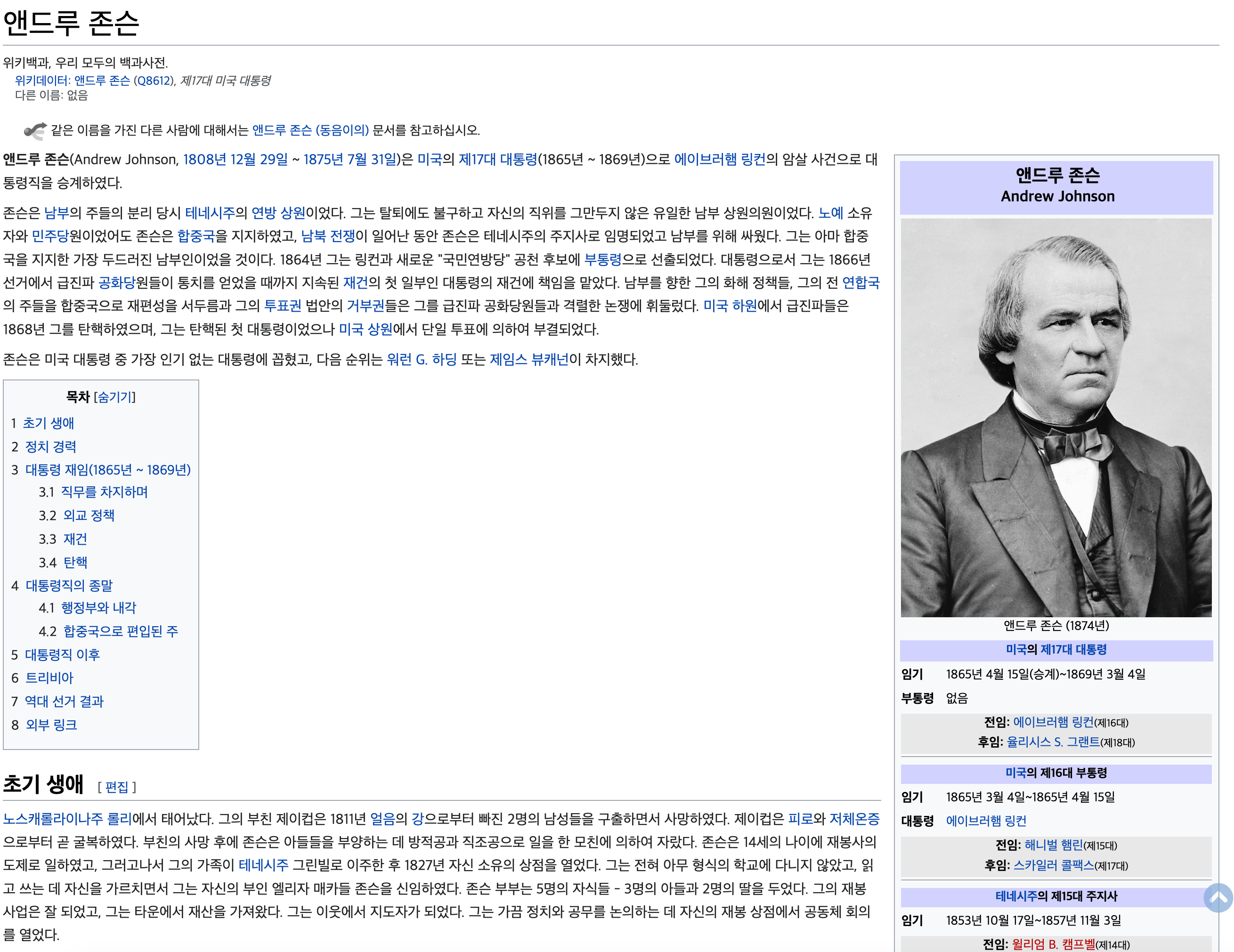
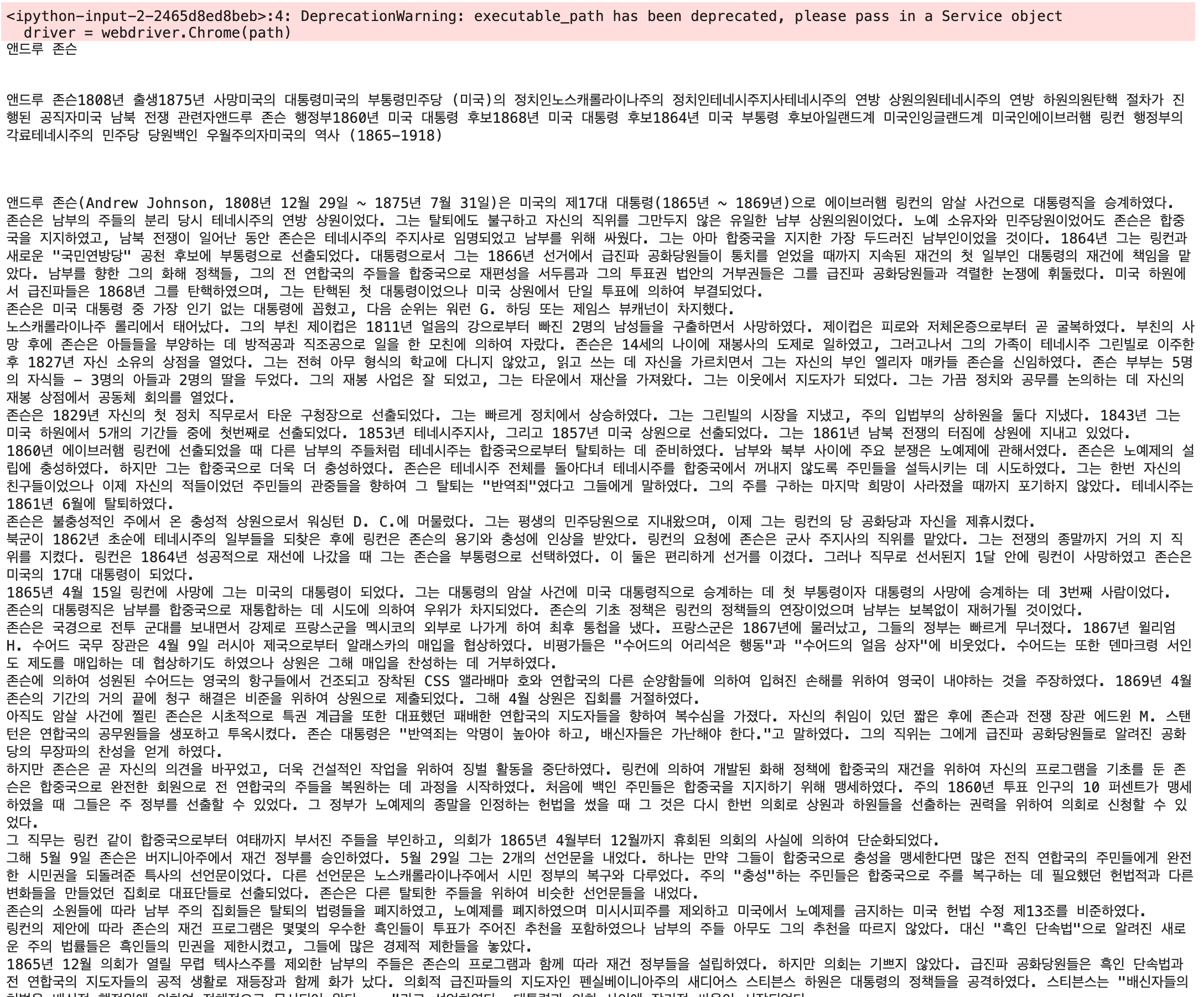

두 코드를 적절히 조합하면, 최근 변경된 문서의 제목, 내용, 분류를 추출해 가져올 수 있게 만들 수 있다.
# 크롤링한 데이터를 데이터 프레임으로 만들기 위해 준비합니다.
columns = ["title", "category", "content_text"]
df = pd.DataFrame(columns=columns)

# 각 페이지별 '제목', '카테고리', '본문' 정보를 데이터 프레임으로 만듭니다. (최근 5개 문서)
for page_url in page_urls[:5]:

    # 사이트의 html 구조에 기반하여 크롤링을 수행합니다.
    driver = webdriver.Chrome(path)  # for Mac
    #driver = webdriver.Chrome(executable_path=excutable_path)  # for Windows
    driver.get(page_url)
    req = driver.page_source
    soup = BeautifulSoup(req, "html.parser")

    contents_table = soup.find("div","mw-body-content")
    title = soup.find("span","mw-page-title-main")

    # 카테고리 정보를 확인하고, 없으면 None
    categories = soup.find("div","catlinks")
    if len(categories.find_all("ul")) > 0:
        category = categories.find_all("ul")[0]
    else:
        category = None

    content_paragraphs = contents_table.find_all(name="p")
    content_corpus_list = []

    # 페이지 내 제목 정보에서 개행 문자를 제거한 뒤 추출합니다. 만약 없는 경우, 빈 문자열로 대체합니다.
    if title is not None:
        row_title = title.text.replace("\n", " ")
    else:
        row_title = ""

    # 페이지 내 본문 정보에서 개행 문자를 제거한 뒤 추출합니다. 만약 없는 경우, 빈 문자열로 대체합니다.
    if content_paragraphs is not None:
        for paragraphs in content_paragraphs:
            if paragraphs is not None:
                content_corpus_list.append(paragraphs.text.replace("\n", " "))
            else:
                content_corpus_list.append("")
    else:
        content_corpus_list.append("")

    # 페이지 내 카테고리정보에서 “분류”라는 단어와 개행 문자를 제거한 뒤 추출합니다. 만약 없는 경우, 빈 문자열로 대체합니다.
    if category is not None:
        row_category = category.text.replace("\n", " ")
    else:
        row_category = ""

    # 모든 정보를 하나의 데이터 프레임에 저장합니다.
    row = [row_title, row_category, "".join(content_corpus_list)]
    series = pd.Series(row, index=df.columns)
    df = df.append(series, ignore_index=True)

    # 크롤링에 사용한 브라우저를 종료합니다.
    driver.close()
이 코드를 수행한 후, 최근 5개의 문서 데이터를 담은 df의 결과는 아래와 같다.
(

'Data Project' 카테고리의 다른 글
| 2022년 11월 서울시 버스 승하차량 분석해보기 (0) | 2022.12.19 |
|---|
